
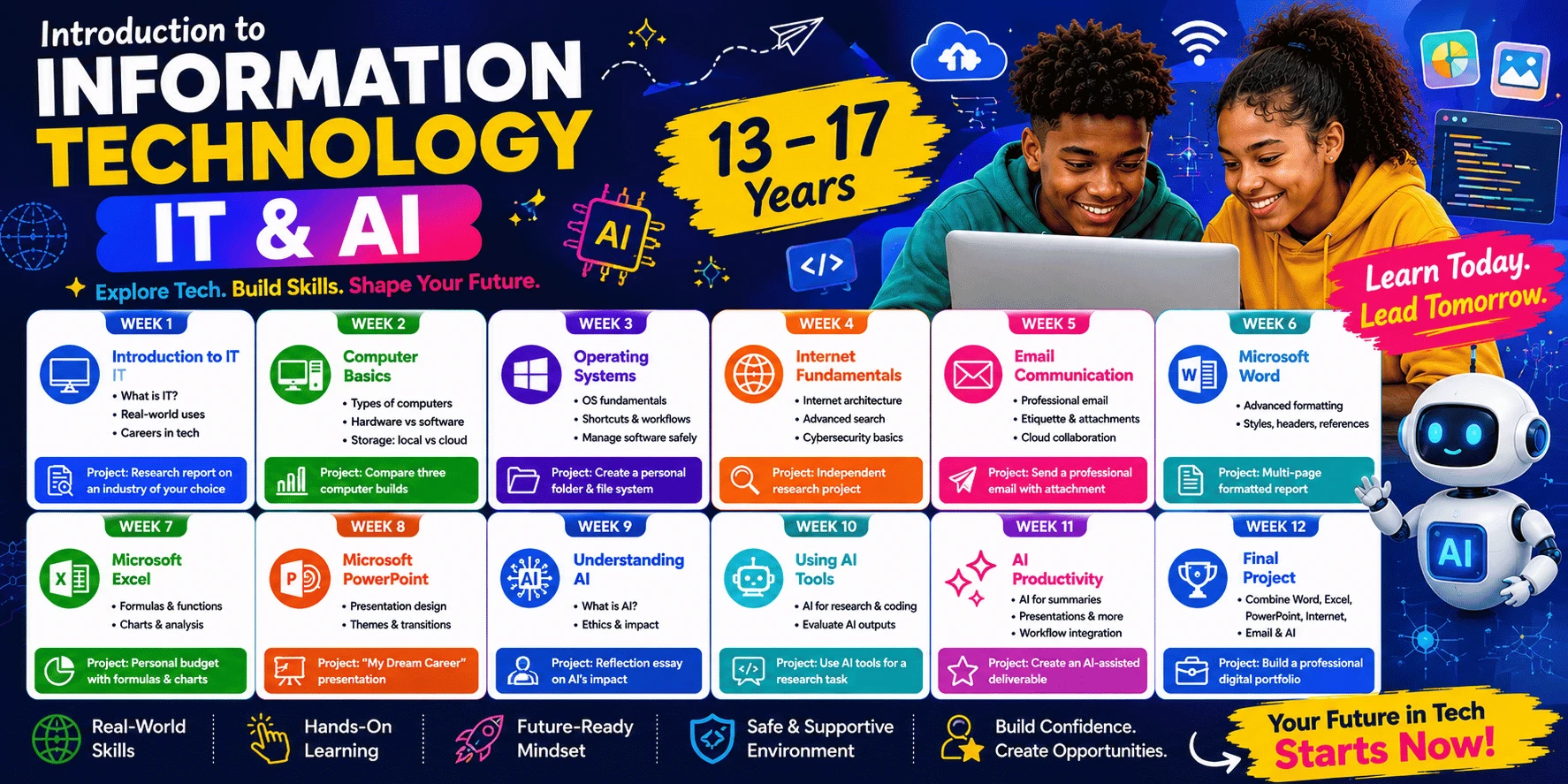
This course is a comprehensive 12-week foundation designed for students aged 13–17 to develop independent, professional-grade digital skills. Participants will master advanced productivity software (Microsoft Word, Excel, PowerPoint), professional email etiquette, and cybersecurity best practices. The curriculum integrates Artificial Intelligence at every stage, teaching students to critically evaluate and use AI tools for research, coding assistance, and workflow optimization. By the end of the term, students will independently produce a professional digital portfolio that showcases their research, technical analysis, and project management capabilities
Week 1 — Introduction to IT
• What is Information Technology? — industry and economic context
• Where IT is used across sectors — real-world case studies
• Careers in technology — roles, pathways, and earning potential
• Computer lab rules & professional conduct
• Project: research report on how technology is used in an industry of the student's choice
Week 2 — Computer Basics
• Types of computers & specifications — comparison and selection criteria
• Input & output devices in professional settings
• Hardware vs software architecture
• Storage technologies: local vs cloud
• Project: comparative spec analysis of three computer builds for different use cases
Week 3 — Operating Systems
• OS fundamentals including file systems
• Keyboard shortcuts & productivity workflows
• Installing, managing, and uninstalling software independently, from safe sources
• Project: design and implement a personal folder and file-naming system for an ongoing project
Week 4 — Internet Fundamentals
• Internet architecture; advanced search operators and techniques
• Cybersecurity fundamentals: phishing awareness, safe browsing
• Project: independent research project citing multiple credible sources
Week 5 — Email Communication
• Creating and managing a professional email account
• Professional email etiquette, formatting, and attachments
• Cloud storage & collaboration workflows (Google Drive)
• Project: send a professional, correctly formatted email with an attachment, as if applying for an opportunity
Week 6 — Microsoft Word
• Advanced formatting: tables, headers & footers, styles, references
• Project: multi-page formatted assignment or report
Week 7 — Microsoft Excel
• Formulas, functions, and charts
• Project: personal budget and expense tracker with formulas and charts
Week 8 — Microsoft PowerPoint
• Advanced presentation design: themes, transitions, layout principles
• Project: "My Dream Career" professional presentation
Week 9 — Understanding AI
• What is AI? Technical overview and machine learning basics
• AI ethics and societal impact — discussion and debate
Week 10 — Using AI Tools
• Independent use of AI tools for research and coding assistance
• Critically evaluating AI-generated outputs
Week 11 — AI Productivity
• AI for summaries, presentations, translation, and workflow integration
Week 12 — Final Project
• Students independently combine Word, Excel, PowerPoint, internet research, email, and AI into one professional digital portfolio
• Computer confidence
• Digital literacy
• Internet safety
• Professional email communication
• Microsoft Office skills
• Responsible AI usage
• Digital project presentation